If you're new to IPTV reselling, the technical side can feel overwhelming at first. Panels, credits, M3U links, Xtream Codes, connections — there's a lot of unfamiliar terminology. But once you understand the core concepts, you'll realize it's genuinely simple. This guide explains everything you need to know before you make your first purchase.
What Is an IPTV Reseller Panel?
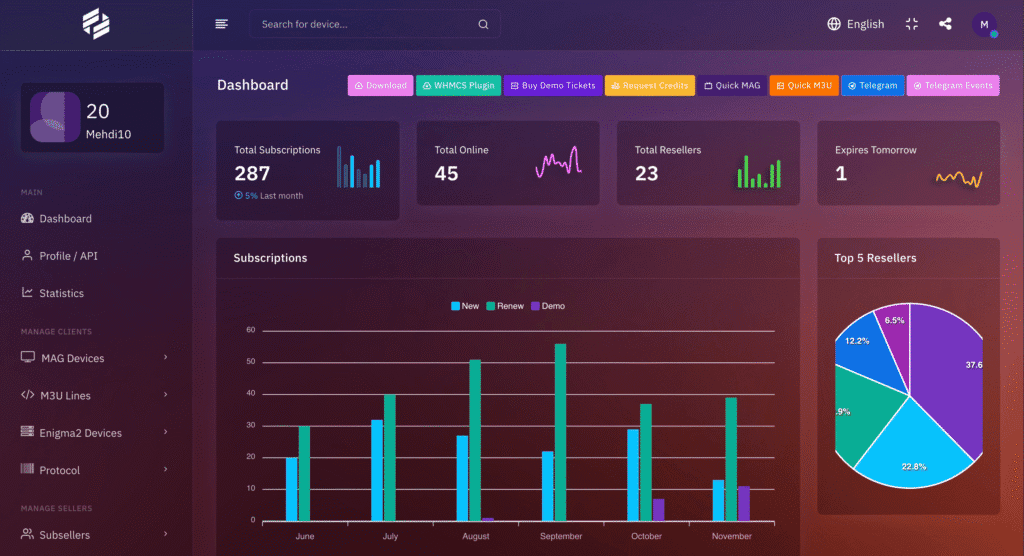
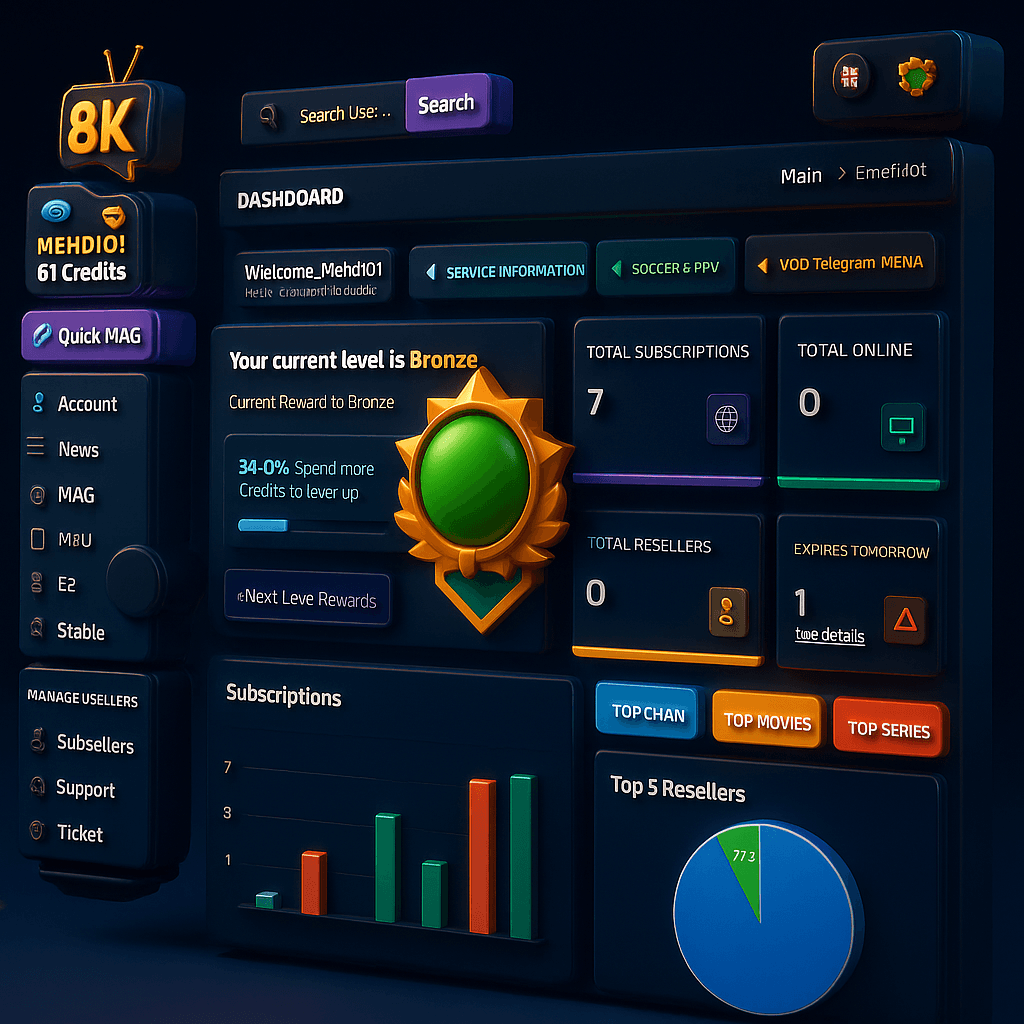
An IPTV reseller panel is a web-based dashboard that gives you full control over your clients' subscriptions. Think of it as your business management tool. Through your panel, you can:
- Create new subscriptions for clients (takes under 5 minutes)
- Set subscription duration — 1 month, 3 months, 6 months, or annual
- Assign the number of simultaneous connections (devices)
- View all active, expiring, and expired subscriptions at a glance
- Renew subscriptions when they're about to expire
- Monitor live usage — see how many streams are active in real time
- Disable or suspend subscriptions if needed
Most reseller panels are web-based, mobile-friendly, and accessible from any browser. There's no software to install. If you can navigate a basic website, you can manage a reseller panel. The average learning curve for a complete beginner is about 30 minutes.
What Are IPTV Credits?
Credits are the core currency of your reseller business. The rule is simple: 1 credit = 1 connection for 1 month.
When you buy an IPTV reseller package, you're buying a balance of credits. Every time you create a subscription, the panel deducts credits based on the duration and number of connections you assign.
- 1-month subscription, 2 connections = 2 credits deducted
- 3-month subscription, 2 connections = 6 credits deducted
- 6-month subscription, 2 connections = 12 credits deducted
- 12-month subscription, 2 connections = 24 credits deducted
What Are Connections?
A connection is one simultaneous IPTV stream. If a client has 2 connections, they can watch on 2 devices at the same time. If they try to open a third stream, the panel blocks it automatically.
Standard setup for most clients is 2 connections — covering a smart TV and a phone, or two TVs in different rooms. Families often want 3–4 connections. You set the number when creating the subscription and can adjust it anytime.
As a reseller, you charge more for extra connections. Example: 2 connections for $7/month, 4 connections for $12/month. This upsell opportunity is easy because clients with large families naturally want more devices covered.
M3U Links vs Xtream Codes: What's the Difference?
When you create a subscription in your panel, it generates login credentials your client uses in their IPTV app. There are two main formats:
M3U URL
A single URL that clients paste directly into their IPTV app. It looks like: http://server.domain.com:port/get.php?username=xxx&password=yyy&type=m3u_plus. Simple and universal — works with nearly every IPTV app on the market.
Xtream Codes
Three separate fields: server URL, username, and password. More flexible and enables richer features in advanced apps. Works with Tivimate, IPTV Smarters Pro, Perfect Player, and most premium IPTV apps. When clients use Tivimate (the most popular app), Xtream Codes is the preferred format because it enables EPG (electronic program guide), catch-up TV, and better channel organization.
In practice: give clients Xtream Codes if they use Tivimate or IPTV Smarters. Give them the M3U URL if they use a basic app or smart TV. Both work — the difference is in the app features they unlock.
Step-by-Step: Creating Your First Client Subscription
- 1.Log in to your reseller panel from any browser
- 2.Click 'Create Subscription' or 'Add User' (varies by panel interface)
- 3.Enter a username — usually the client's name or a nickname
- 4.Choose subscription duration: 1 month, 3 months, etc.
- 5.Set number of connections: usually 2 for standard clients
- 6.Click 'Create' — the panel deducts credits and generates credentials instantly
- 7.Copy the M3U URL or Xtream Codes credentials
- 8.Send to client via WhatsApp — they add it to their app in 2 minutes
- 9.Follow up after 24 hours to confirm everything is working
Managing Renewals Efficiently
Renewals are the engine of your recurring income. Your panel shows every subscription with its expiry date. The renewal process is simple: find the expiring subscription, extend it by the desired duration, confirm — done in under 1 minute.
The smart workflow: every Monday, filter your panel for subscriptions expiring within the next 7 days. Send each client a WhatsApp message: 'Hey [Name], your IPTV expires in [X] days — want me to renew it? Reply YES and I'll sort it.' Most will reply immediately. Collect payment, renew the subscription, done.
Offer 3-month subscriptions at a slight discount (e.g., 3 months for the price of 2.5). Clients save a little, you get 3 months of locked-in revenue, and you reduce the monthly renewal workload. Many resellers with 100+ clients do quarterly renewals for 70%+ of their base.
Which IPTV Apps Should You Recommend to Clients?
- Tivimate (Android/Fire Stick) — Best overall. Clean interface, EPG, catch-up, multi-screen. Free version is good; premium unlocks advanced features.
- IPTV Smarters Pro (All platforms) — Great for beginners. Simple setup, works on iOS, Android, smart TVs.
- GSE Smart IPTV (iOS/Android) — Best option for iPhone and iPad users.
- Perfect Player (Android) — Popular alternative with good EPG support.
- Smart IPTV (Samsung/LG Smart TV) — For clients who want to watch directly on their TV without a streaming stick.
Common Questions from New Resellers
- Can I change a client's connection count? Yes, from your panel at any time — takes 30 seconds.
- What if a client loses their credentials? Resend from the panel. You can also reset their password if needed.
- Can I offer different subscription lengths to different clients? Yes. Each subscription is independent — you set the duration per client.
- Do I need to be online when a client's stream is active? No. Everything runs on the server. You only interact with the panel when creating or renewing subscriptions.
- What happens when my credit balance gets low? The panel shows your balance at all times. Top it up anytime — credits add to your existing balance.
The reseller panel is genuinely the simplest part of this business. Most new resellers are comfortable with it after their second or third client setup. The harder part — and the more rewarding part — is growing your client base. That's where the real work is, and where the coaching we provide makes a real difference.